Please fill out the form below to request a quote or to request more information about us. please be as detailed as possible in your message, and we will get back to you as soon as possible with a response. we're ready to start working on your new project, contact us now to get started.
DIY 2012 Honda Civic Tail Light Repair and Reinstallation
2026-08-25
Maxdo
28
Improve the safety and appearance of your 2012 Honda Civic by repairing your tail lights. Whether the bulbs have burned out or are cracked, follow this step-by-step guide to make the process simple and effective. Whether you're a seasoned DIY enthusiast or a casual mechanic, this comprehensive guide ensures a smooth repair.
Tools and Materials Needed
Before you begin, gather the necessary tools and materials:
- Screwdriver Set
- Pliers or Wire Cutters
- Allen Keys
- A Steady Workspace or Vice
- Replacement Bulbs (LED or Halogen)
- Sharpie or Marker
- Removed Tail Light (for exact reinstallation)
Having all these tools ready will ensure a smooth and efficient repair process.
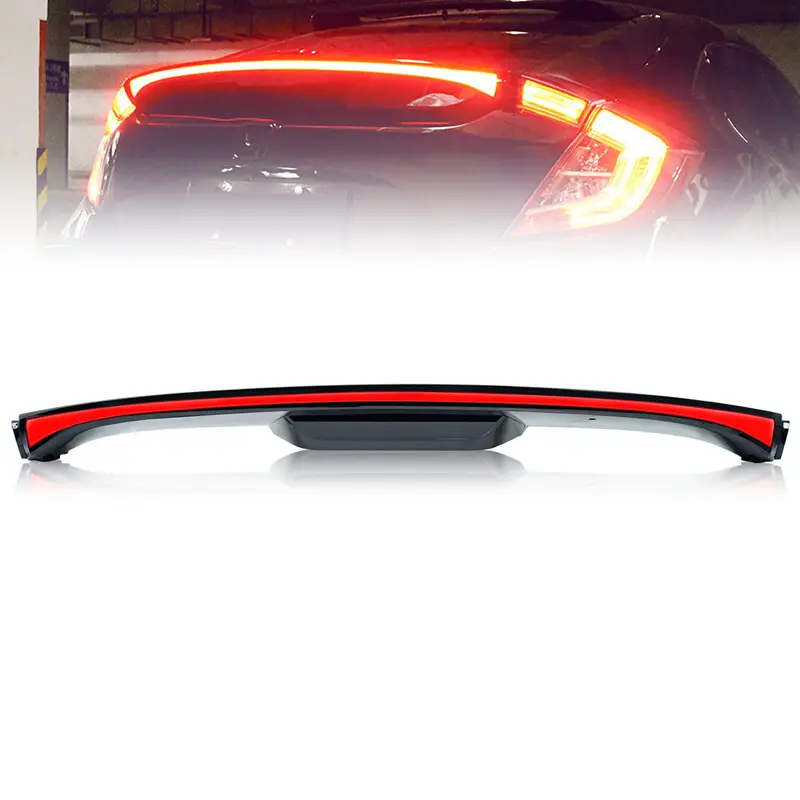
Identifying Damaged Tail Light
To locate the damaged tail light, visually inspect each one. Look for cracks in the lens, bulb burnout, or misalignment. Mark the spot with a Sharpie or marker to ensure precise reinstallation.
Safe Removal of Tail Light
Follow these steps to safely remove the tail light:
1. Remove Mounting Bracket: Use a screwdriver to unscrew the mounting bracket.
2. Take Off the Lens: Gently remove the lens to avoid bending it.
3. Remove the Bulb: Unscrew the bulb from the bracket. Use gloves to protect your hands.
Preparing and Replacing the Tail Light Bulb
Select the right bulb based on your preferences:
- LED Bulbs: Energy-efficient.
- Halogen Bulbs: Provide a brighter beam.
Clean the bulb socket, insert the new bulb, and ensure its seated properly and aligned with the bracket.
Reinstallation of Tail Light
To reinstall the tail light:
1. Attach the Tail Light: Reattach the lens to the bracket and ensure its securely mounted.
2. Clean the Area: Clean the area to ensure precise alignment.
3. Check Alignment: Ensure the lens is aligned correctly and the bulb is functioning. Test by turning the ignition and observing the beam output.
Troubleshooting Common Issues
Common issues may include loose connections or faulty wiring:
- Check Continuity: Use a multimeter to check for loose connections.
- Replace Bulbs: Ensure the bulb is the correct size.
- Tighten Screws: Secure any loose connections.
Maintaining Tail Light Functionality
Regular maintenance is essential:
- Clean the Tail Light: Clean it frequently.
- Inspect the Bulbs: Check every 6 months.
- Replace Promptly: Promptly replace bulbs to prevent failure.
Success Stories and Real-World Examples
Heres a real-world example:
- Example: A customer replaced a burned-out bulb on their 2012 Honda Civic. They noticed the bulb wasnt staying lit and followed this guide. By using the right size bulb and tightening loose connections, they resolved the issue and restored their tail light functionality.
By following these steps and maintaining regular care, you can ensure your Honda Civics tail lights are always in top condition.
Visual Enhancements
To make the guide more visually appealing and easier to follow, include these elements:
- Diagrams: A step-by-step diagram showing the correct installation of the tail light and bracket.
- Photos: Step-by-step photos of removing and reinstalling the tail light, along with the lens and bulb.
- Videos: Short video tutorials for different steps, especially for those who prefer visual guidance.
Enhance Engagement
To keep the reader engaged, add real-world scenarios or success stories. Include user testimonials or common pitfalls to provide practical insights and a sense of community.
By incorporating these visual elements and real-world examples, the guide will be even more helpful and engaging for readers.
Table of Contents
GET IN TOUCH WITH Us
Copyright © 2026 Shenzhen Maxdo Automotive Parts Co., Ltd. - www.maxdoexhaust.com | Sitemap | privacy policy